meakingwlan.top
New member
Latest Update  – Multiple Devices Made Easy
We now fully support 2, 5, even 100+ devices per package.
How it works:
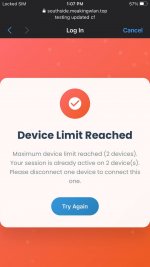
After a user purchases a multi-device package, they simply copy/paste the same M-Pesa code on the reconnect tab of the 2nd, 3rd, or 4th device — and boom, it connects instantly.
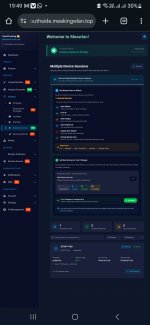
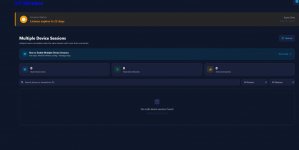
On your dashboard, we’ve added a Devices Monitoring section where you can:
See how many devices were purchased
See which devices are connected
Remove a device (if a user says they connected the wrong one)
For protection: Once a device connects, it is fully locked to prevent exploitation. A user cannot rotate devices and claim multiple connections unfairly.
Please test it and share feedback
Also, make sure to watch the tutorial video on what to configure on your router for multiple devices to work properly.
– Multiple Devices Made EasyWe now fully support 2, 5, even 100+ devices per package.
How it works:
After a user purchases a multi-device package, they simply copy/paste the same M-Pesa code on the reconnect tab of the 2nd, 3rd, or 4th device — and boom, it connects instantly.
On your dashboard, we’ve added a Devices Monitoring section where you can:
See how many devices were purchased
See which devices are connected
Remove a device (if a user says they connected the wrong one)
For protection: Once a device connects, it is fully locked to prevent exploitation. A user cannot rotate devices and claim multiple connections unfairly.
Please test it and share feedback
Also, make sure to watch the tutorial video on what to configure on your router for multiple devices to work properly.